

draw.io
What draw.io does
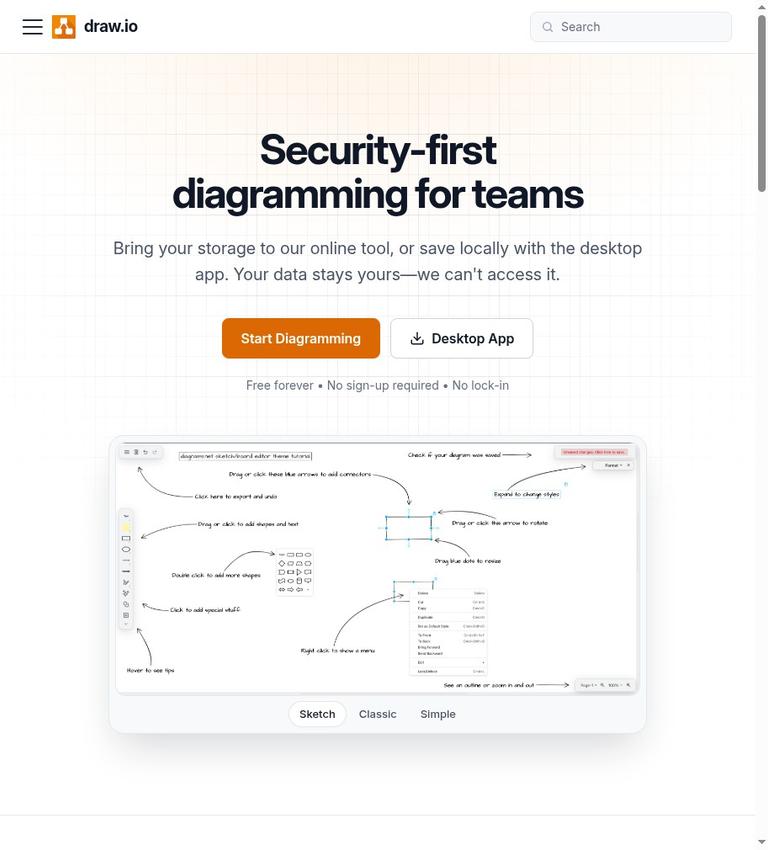
draw.io, also known as diagrams.net, is diagramming software with a web application at app.diagrams.net. The vendor describes it as “Security-first diagramming for teams.” Its Terms grant a free-of-charge licence to install and use the Applications to create, edit, view, and share diagrams for personal or business purposes, provided you comply with the Terms. The homepage advertises “Free forever” and says no sign-up is required. That supports describing the listed diagramming uses as free, rather than treating the offer as only a trial or preview.
This is a meaningful free boundary, but not a complete account of every product or distribution channel. The official site does not give paid-plan pricing, a paid-plan comparison, or a feature-by-feature boundary between free and paid use. It also does not confirm numerical limits for diagrams, storage, exports, or collaboration. The homepage says there are no paywalls and no Enterprise tier for SSO; the Terms separately note that the Atlassian Confluence and Jira apps are distributed under a separate end-user licence agreement. The available text does not confirm the pricing or feature boundary for those apps.
The vendor describes both a web tool and a desktop app. It says users can bring their storage to the online tool or save locally with the desktop app. The homepage names SVG, PNG, and PDF as export options and says diagrams can remain editable. It also says diagrams can be embedded interactively in documents, wikis, or applications. These statements identify useful workflow options, but they do not document every export setting, file format, import format, or embedding method.
How the workflow fits together
The browser application runs at app.diagrams.net. The vendor says the Application runs in your browser and that no account is needed to use it. Its homepage also says no account or credit card is required to start. These statements concern using the Application; they do not confirm account requirements for every connected storage provider, integration, or third-party app.
Storage is a choice in the vendor’s description of the online tool: bring your storage, or save locally with the desktop app. The Terms say diagram data is stored in the location you choose. For draw.io Diagram Editor for SharePoint and draw.io for Microsoft Teams, the Terms are more specific: diagrams are stored in the organization’s SharePoint or OneDrive storage, not on draw.io servers. The vendor says users are responsible for backing up diagram files and that it cannot recover files lost from the chosen storage. This makes backup responsibility part of the practical workflow, regardless of which storage option you choose.
The Terms cover the web application, the Desktop application, Microsoft 365 applications, and Google Workspace add-ons. The named Microsoft products include the SharePoint editor and draw.io for Teams. The named Google add-ons are for Docs, Sheets, and Slides. The homepage also lists connections involving Google Drive, Docs, and Slides; Microsoft SharePoint, OneDrive, and Teams; Atlassian Confluence and Jira; GitHub; VS Code; Notion; and Chrome. This is a list of named integrations, not evidence that all of them work in the same way or share identical requirements and terms.
When a diagram is ready to share, the homepage names SVG, PNG, and PDF exports and says diagrams can be kept editable. It also describes interactive embedding in documents, wikis, or applications. The vendor describes real-time collaboration with shared cursors. These claims suggest workflows that extend beyond editing alone, but the official site does not specify collaboration quotas, exact integration behavior, or all requirements for an export or embed. If a particular handoff is essential, verify that workflow with the relevant application and storage provider.
Free use, paid distinctions, and licensing
The strongest evidence for free use comes from the Terms, not just the homepage slogan. They grant a free-of-charge, non-exclusive, non-transferable, revocable licence to install and use the Applications to create, edit, view, and share diagrams for personal or business purposes, for as long as the Terms are followed. The homepage reinforces this with “Free forever,” “No sign-up required,” and “No lock-in.” Taken together, these sources support usable free diagramming for the listed activities.
The boundary should not be stretched beyond what the sources establish. The official site does not list paid plans or prices, compare paid and free features, or set out numerical use limits. The homepage says “No Paywalls” and states there is no Enterprise tier for SSO, but those statements are not a pricing table or a complete product catalogue. Nor does the general free-of-charge licence establish the terms of every separately distributed integration.
The editor’s source code has a distinct licensing statement. The vendor says it is published under the Apache License 2.0 and that the Terms do not limit rights granted by that licence. The same Terms say they govern use of the published Applications and hosted services. In other words, the source-code licence and the terms for using the published Applications or hosted services are not interchangeable descriptions of the same rights.
Atlassian users should note a specific distinction. The Terms say the draw.io apps for Confluence and Jira are distributed by Seibert Group GmbH under a separate end-user licence agreement, and that agreement governs those apps. The official site does not confirm their pricing or feature boundary. It would therefore be inaccurate to assume that the general free statement settles the cost or terms of those separately governed apps.
The vendor says diagrams belong to users and that it claims no ownership of, or rights over, content created with the Applications. The homepage says anyone can open and edit draw.io files on any platform. However, the official site does not provide a complete list of compatible file formats or import formats, or describe every condition that could apply to a particular connected service. For formal licensing or interoperability requirements, check the applicable terms and confirm the intended handoff rather than relying on a broad compatibility statement.
Accounts, platform, and privacy
The vendor says an account is not needed to use the Application and that it does not ask for your name or email address. The homepage says no account or credit card is required to start diagramming. These are useful access claims, but they do not mean that no data is processed, or that every external service connected to a workflow has the same account rules.
There is an important qualification to the vendor’s privacy messaging. The homepage says, “Your data stays yours—we can't access it.” The trust information says diagrams are saved on the user’s device or in a connected storage service, not on draw.io servers, but also says some functions send a diagram to a server for processing. It names PDF or image export, real-time collaboration, opening a file from a web address, and AI features. The trust information says the diagram, including personal data entered into it, is processed to return the result and is not kept. These statements are not identical: the homepage presents a broad claim about access, while the trust information expressly describes server-side processing for specific functions. The more specific account of processing matters when deciding whether to use those functions with sensitive material. “Not kept” is the vendor’s statement about those processing functions; it does not mean the diagram never leaves the device during processing.
The vendor says real-time collaboration holds encrypted changes in memory for at most five minutes so collaborators can catch up. Separately, it says the Application reports its version, errors, and technical events to its servers; these records do not identify the user and are kept for 30 days. It also says its hosting provider, Cloudflare, processes IP addresses to deliver the website and Application and limit abuse, while draw.io does not keep IP addresses in its own logs. These are the vendor’s stated practices, not a substitute for assessing whether they meet a particular organization’s requirements.
The desktop app is an official option, and the homepage says it can save locally. The official site does not enumerate supported desktop operating systems or establish offline behavior. A desktop download and local saving should not be treated as proof that the app works offline. Similarly, the existence of Microsoft 365 apps and Google Workspace add-ons does not confirm that every feature is available or behaves identically in each environment.
Limits and practical caveats
The Terms say the Applications are provided “as is” and “as available,” without warranty, and do not warrant uninterrupted, error-free, or secure operation. They also say the vendor may update the Applications or change, suspend, or discontinue an Application or feature. The official site does not confirm service-level commitments or numerical limits for use, storage, exports, or collaboration. It also does not confirm a complete import-format list. These omissions are unknowns, not proof that a particular limit or format is absent.
Storage responsibilities are concrete. The vendor says users are responsible for backing up diagram files and that it cannot recover files lost from the chosen storage. For SharePoint and Teams use, the Terms say Microsoft provides the platform and file storage, and draw.io is not responsible for the availability or operation of Microsoft services. If a diagram is important, make sure the storage and backup arrangements fit your needs and understand which provider is responsible for each part of the workflow.
The support page says the vendor aims to respond to every support request within one business day. That is an aim, not a guaranteed resolution time. The support page identifies the web app and draw.io Desktop as supported products, but the official site does not promise that every issue will be resolved within a particular period.
Who should consider draw.io?
draw.io may suit people who need to create, edit, view, and share diagrams under a free-of-charge licence for personal or business purposes, subject to the Terms. Its no-account claim, browser application, desktop application, and stated storage choices may be useful for workflows where access and file location matter. The named exports, integrations, embedding, and collaboration claims may also fit work that involves moving diagrams between tools or sharing them with others.
It may be a less certain choice if your decision depends on a documented service guarantee, numerical usage limits, a complete list of supported imports, offline behavior, or a clear paid-versus-free comparison. The official site does not settle those questions. Privacy-sensitive workflows also need care: the vendor says diagrams are not stored on its servers, but identifies specific functions that send diagram content for server processing. And because users are responsible for backups, the chosen storage arrangement matters.
No named alternative is included here: the allowed-alternative list published on the official site is empty. Rather than make an unsupported comparison, evaluate candidates against your actual needs, including storage, collaboration, exports, account requirements, privacy handling, and required integrations. Confirm each point in the candidate’s own documentation.
Verdict
draw.io’s verified free value is substantial in scope: the vendor grants free-of-charge use for creating, editing, viewing, and sharing diagrams for personal or business purposes, subject to its Terms. The vendor also says no account is required to use the Application. It offers a browser app and desktop app, describes storage choices, names SVG, PNG, and PDF exports, and promotes collaboration and integrations.
The qualifications are important. The official site does not confirm numerical limits, paid pricing, a complete feature comparison, a complete import-format list, or offline behavior. Users are responsible for backups. Some functions send diagrams to a server for processing, despite the homepage’s broad statement that the vendor cannot access user data. The Terms also disclaim guarantees of uninterrupted, error-free, or secure operation. If these limits of the official site fit your decision process, draw.io is worth considering; if your workflow depends on a specific guarantee or feature boundary, confirm it before relying on the tool.
Frequently asked questions
Is draw.io free?
The Terms grant free-of-charge use to create, edit, view, and share diagrams for personal or business purposes, provided you comply with the Terms. The homepage also says “Free forever.” The official site does not confirm paid-plan pricing or a complete free-versus-paid feature comparison.
Do you need an account to use draw.io?
The vendor says no account is needed to use the Application and that it does not ask for your name or email address. The homepage says no account or credit card is required to start. These claims do not confirm the account requirements of every connected or third-party service.
Where are draw.io diagrams stored?
The vendor says diagrams are stored in the location you choose, such as your device or a connected storage service. For the SharePoint editor and Teams product, it says diagrams are stored in the organization’s SharePoint or OneDrive storage, not on draw.io servers. Users are responsible for backing up their files.
Does draw.io send diagrams to its servers?
The vendor says diagrams are not stored on its servers, but identifies functions that send them to a server for processing: PDF or image export, real-time collaboration, opening a file from a web address, and AI features. It says the diagram is processed to return the result and is not kept. This qualifies the homepage’s broader statement that draw.io cannot access user data.
Can you use draw.io offline?
The official site confirms a desktop application and says it can save locally, but it does not confirm offline behavior. Do not infer offline availability from the desktop app’s existence alone.
What can you export from draw.io?
The homepage names SVG, PNG, and PDF as export options and says diagrams can also remain editable. The official site does not give a complete list of supported file or import formats.
Does draw.io offer paid plans?
The official site does not describe paid plans, pricing, or a free-versus-paid feature comparison. The homepage says there are no paywalls and no Enterprise tier for SSO. The Atlassian apps are governed by a separate end-user licence agreement, but the official site does not confirm their pricing.


