

Diffchecker
Diffchecker is a comparison product for finding differences between versions of text and other files. Its clearest entry point is online text comparison: paste two versions or provide two files, then review highlighted edits. The vendor also lists comparison for documents, images, spreadsheets, and folders. These capabilities are not interchangeable: folder comparison is identified as a desktop feature, and the available plan information gives different boundaries for some functions and exports.
This review is based on the vendor’s published product, pricing, terms, and privacy information, not hands-on testing. The verified free boundary is useful: the vendor says side-by-side text comparison and Smart precision are always available, and the pricing page lists a Basic plan as free for everyone. Some other Basic features have monthly try limits. The available evidence does not confirm that every advertised format or feature is available in every product surface or plan.
What Diffchecker does
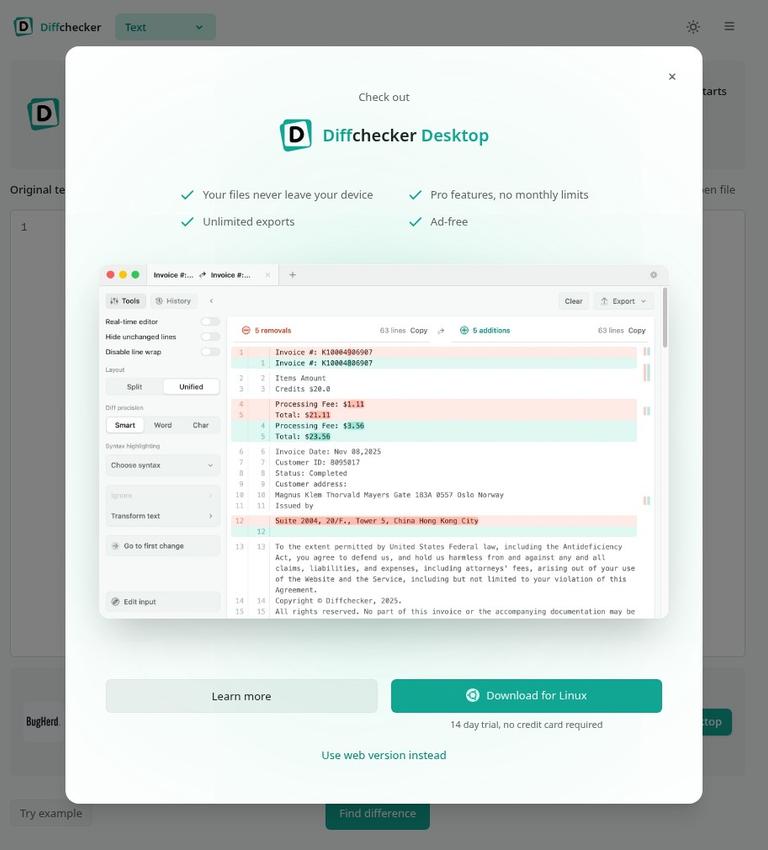
For text comparison, users can paste content or provide two files. Diffchecker highlights insertions, deletions, and edits line by line. Its default side-by-side layout puts the original on the left and the changed version on the right, with removals in red and additions in green. A unified view is also available, subject to a Basic-plan limit.
The text tool includes editing and review options beyond displaying a difference. The vendor lists a real-time editor that recalculates differences as users type, and a merge function for accepting individual changes from either side into a combined version. Users can hide unchanged lines and toggle line wrapping for long lines. These options can help focus a review on edits, but their availability and limits depend on the feature and plan.
For code and structured text, Diffchecker lists syntax highlighting for languages including JavaScript, Python, Java, Go, SQL, JSON, and YAML. Custom ignore rules can exclude chosen strings; the vendor gives timestamps, build numbers, and session IDs as examples. Comparison precision can be set to smart, word-level, or character-level. Smart is described as the default and chooses character or word highlighting according to the change. The pricing table sets monthly limits on several of these options for Basic users.
Diffchecker also advertises comparison for Word documents, PDFs, and presentations, including comparing a PDF with a Word file. Its product description mentions formatting and moved-content detection. The pricing table lists OCR for scanned PDFs, formatting-change detection, and moved-content detection across its plan columns. Image comparison is described with modes including slider, fade, flicker, and pixel subtraction, plus automatic alignment. Spreadsheet comparison is described as cell-by-cell for XLSX, XLS, CSV, TSV, and ODS files, with formula-change detection. Whole-folder comparison is listed as a desktop capability. These product descriptions do not confirm that each feature is available in every plan or interface.
How a text comparison works
For a straightforward comparison, open the browser tool and paste the earlier and newer versions into their respective sides, or provide two files. The result highlights changes line by line. In the default side-by-side view, the original is on the left and the changed version on the right. The vendor says users can paste and compare immediately without signing up.
If the result is difficult to scan, the listed display controls include hiding unchanged lines and wrapping long lines. Syntax highlighting is available for supported code languages. Users can choose word- or character-level precision where those options are available; the smart setting is described as selecting an appropriate level for the changes. Basic monthly limits apply to some modes, so a free starting point should not be confused with unlimited access to every control.
The merge function lets users accept individual changes from either side into a combined version, with the result updating in the editor. For saving a comparison, the vendor says a free account is required. It also says saving creates a link that can be shared with reviewers, who can leave inline comments on specific lines. An account is needed to save, share, or upgrade; it is not required just to paste and compare.
Other workflows need a closer plan check. The vendor advertises document, image, spreadsheet, and folder comparison, but the official site does not map every listed format and feature to every product surface. For offline folder comparison, the vendor identifies the desktop app as the route and lists Windows, Mac, and Linux support. Diffchecker also offers an API described as HTTPS endpoints for using its comparison engine in other applications. The official site does not state API prices, quotas, or technical rate limits.
Free access and plan boundaries
Diffchecker is freemium. The pricing page lists Basic as free for everyone and describes it as having limited access to Pro features. The vendor says side-by-side view and Smart precision are always available, and describes its online text comparison tool as free. That supports a usable free workflow for basic text comparison, rather than a trial or preview alone.
The Basic plan has specific limits on some additional features. The pricing table lists five tries per month for unified view and real-time editing, and ten tries per month for character-level differences. It also lists five tries per month for hide-whitespace changes and custom ignore rules. Text-comparison PDF export is limited to five tries per month. For AI summaries, the Basic table lists five full-diff summaries and 20 block-level summaries per month. These are feature-specific allowances, not a general promise that all advanced functions are free or unlimited.
The vendor says unified view, word- and character-level precision, syntax highlighting, real-time editing, and merge are free to try and unlimited on Pro. “Free to try” does not confirm unlimited free use. Separately, the homepage offers a 14-day trial and says no credit card is required. The official site does not specify the exact feature combinations available during that trial. The product description identifies AI difference summaries as a Pro feature, while the pricing table also gives Basic a limited monthly allowance for AI summaries.
The official site page lists Pro + Desktop at $15 per user per month, Diffchecker Legal at $20 per user per month, and Enterprise at $40 per user per month. Enterprise is listed as annual billing only. Legal is described as Pro + Desktop with iManage integration and profiles for managing comparison settings. The Enterprise feature list includes SAML SSO, iManage integration, comparison-setting profiles, SCIM account provisioning, and dedicated support. Check the current pricing page before purchase; these figures and descriptions reflect the official site.
Export availability also differs by plan. The pricing table lists spreadsheet export as PDF or Excel as not included for Basic and included in the other listed plans. Redline output as PDF, Word, or Tracked Changes is listed as not included for Basic or Pro, and included for Desktop, Legal, and Enterprise. The table also lists OCR, formatting-change detection, and moved-content detection across its plan columns. Since the official site does not confirm the availability of every feature on every product surface, verify the exact plan and workflow before relying on a specific capability.
Accounts, platforms, and privacy
The vendor says browser-based comparisons run in the browser and that diffs stay private unless users save the comparison and share its link. It also says traffic between the browser and Diffchecker is encrypted with TLS and that its files are handled under an information security program certified to ISO/IEC 27001. These are vendor statements, not an independent security assessment.
For desktop use, Diffchecker says comparisons run on the user’s computer, fully offline, and that compared material does not leave the machine. It lists desktop apps for Windows, Mac, and Linux. The vendor says a Desktop license can be used on three devices simultaneously, provided the license holder is the primary user of each device. Confirm the applicable plan and license terms if offline use or device access is important.
There is a material privacy and rights caveat. The vendor’s terms say that data or content posted, uploaded, or communicated to its sites or services is subject to a perpetual, irrevocable, worldwide license for Diffchecker, its licensors, and affiliates to use, process, and reproduce it, without compensation or restriction. That broad terms language sits uneasily alongside the product statement that browser diffs stay private unless saved and shared. The statements address different concerns—sharing visibility and the license granted in the terms—and the official site does not resolve their practical or legal interaction. Do not treat the privacy statement as a substitute for reviewing the terms before submitting sensitive material.
The privacy policy says Diffchecker may collect information provided in documents or content uploaded through its services. It also describes Mixpanel analytics that may record interactions and browser or device metadata, including clicks, scrolling, form fills in non-excluded fields, pages visited, browser, operating system, and device type. The published policy is dated April 5, 2024, so these are statements from that revision, not independently verified current practices. The available evidence does not confirm a specific retention period for comparison contents or saved diffs, nor does it establish a separate commercial-use permission for uploaded materials or outputs.
Limits and caveats
Diffchecker says there is no file-size limit for text comparisons, while warning that large inputs take longer to render in a browser and saying Desktop is faster because it runs locally. The official site does not specify exact file-size or browser-rendering limits, measured performance, or guaranteed timings. Treat the statement as the vendor’s description, not a performance guarantee.
The terms say site and service use is on an “as is” basis and users should not assume the service will be error-free, uninterrupted, or operate as intended. The official terms excerpt is dated April 5, 2024 and says the vendor may revise terms by posting updates. For legal or operational decisions, consult the current terms rather than relying on this review’s summary.
The API description establishes that HTTPS endpoints are offered for using the comparison engine in other applications, but the official site does not state API prices, request quotas, or technical limits. Confirm those details directly if evaluating a production integration. The official site also does not confirm a specific customer ownership right in uploaded comparison content or a distinct commercial-use grant for outputs.
Who should consider Diffchecker?
Diffchecker may suit someone who needs to inspect text changes quickly and wants a browser workflow with a verified free baseline. Basic side-by-side comparison and Smart precision are the strongest supported free-use case. The broader advertised capabilities may be relevant for code, documents, images, spreadsheets, or offline folder comparisons, but the more specialized the workflow, the more important it is to verify its plan and product-surface availability.
It is a less certain choice if the decision depends on unlimited free advanced features, a guaranteed retention period, clear rights terms for submitted content, or API quotas that are not stated on the official site. This is not a hands-on review and makes no claims about tested accuracy, speed, or ease of use. For JSON validation rather than comparing two versions, JSONLint is an existing non-paid listing for a different workflow, not a like-for-like replacement.
Verdict
Diffchecker’s Basic plan supports a concrete free workflow: compare text in the browser using side-by-side view and Smart precision. Some additional features and exports have monthly limits, while other capabilities are listed with paid plans. The product advertises a much broader comparison range, including documents, spreadsheets, images, and desktop folder comparisons, but plan and interface availability should be checked for the specific job.
The vendor’s browser privacy statements should be read alongside its broad content license in the terms, not as a substitute for it. The official site also leaves retention, API limits, and specific commercial-use permissions unresolved. Diffchecker is therefore easiest to assess for ordinary text comparison; sensitive or specialized work calls for checking the current pricing, privacy policy, and terms first.
Frequently asked questions
Is Diffchecker free?
Basic is listed as free for everyone. The vendor says side-by-side view and Smart precision are always available, supporting a usable free text-comparison workflow. Several other features have monthly limits, so the full feature set is not stated as unlimited for free.
Can you use Diffchecker without an account?
Yes. The vendor says users can paste and compare immediately without signing up. An account is needed to save, share, or upgrade, and saving a comparison requires a free account.
Does Diffchecker compare PDFs and spreadsheets?
The vendor advertises document comparison for Word documents, PDFs, and presentations, and cell-by-cell spreadsheet comparison for XLSX, XLS, CSV, TSV, and ODS. The official site does not confirm that every listed feature is available in every plan or product surface. Check the current pricing information for the exact workflow.
Can Diffchecker compare folders offline?
The vendor lists whole-folder comparison as a desktop capability and says the desktop app works offline on Windows, Mac, and Linux. The official site does not confirm that folder comparison is included in every plan.
Are advanced text features unlimited on the free plan?
No general unlimited-free claim is supported. The vendor says some features are free to try and unlimited on Pro; the Basic table lists monthly limits for several features, including unified view, real-time editing, character-level differences, and custom ignore rules.
Does Diffchecker keep comparison contents private?
The vendor says browser diffs stay private unless saved and shared, and says desktop comparisons run locally and offline. However, its terms grant a broad license over data submitted to its sites or services. The official site does not explain how that license interacts with the privacy statement or establish a retention period. Review the current terms and policy before submitting sensitive content.
What does Diffchecker cost?
The official site lists Pro + Desktop at $15 per user per month, Legal at $20 per user per month, and Enterprise at $40 per user per month with annual billing only. Check the vendor’s current pricing page for current prices and plan details.


