

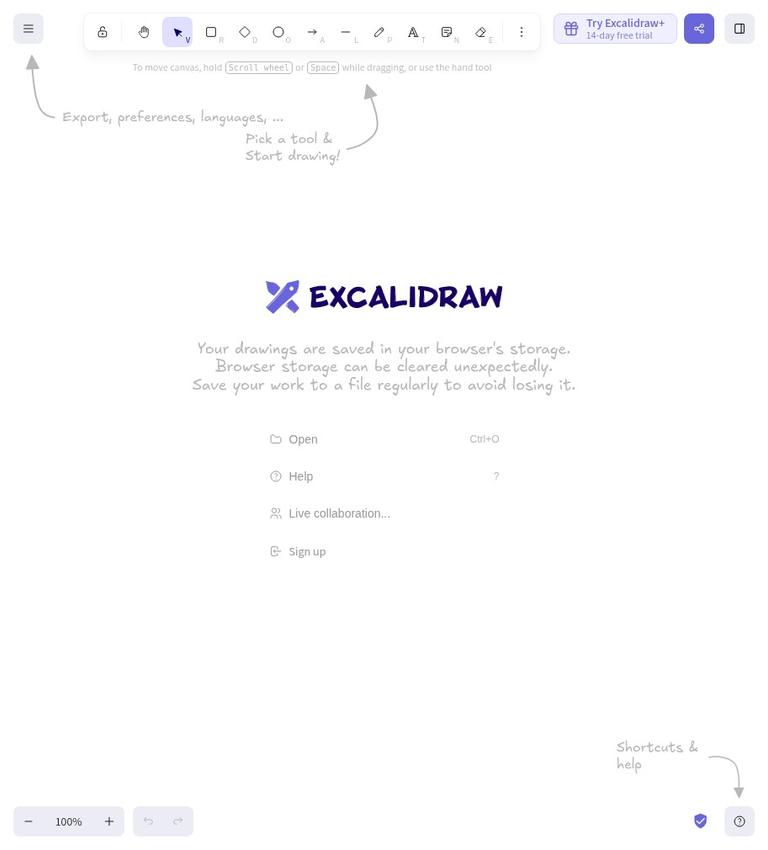
Excalidraw
Excalidraw review: what the official site supports
Excalidraw is identified on its official page as “Excalidraw Whiteboard.” The published official landing-page text describes a “Free & Open source” editor and separately offers Plus features through a 14-day free trial. It also says no account is needed to start drawing. Those statements support a useful starting point: there is a presented free editor, and Plus is a distinct offer with a time-limited trial. They do not confirm a complete feature comparison, the cost of Plus after the trial, or the terms that apply to every feature.
The landing page describes an infinite canvas, elementary tools, advanced features, ready-to-use sketches in libraries, and generative text-to-diagram and wireframe-to-code features. It also advertises real-time collaboration, a read-only sharing link, and mentions PNG, SVG, and clipboard export in a customer testimonial. These are claims made on the published official landing page, not results of independent testing. In particular, the page does not make clear which capabilities belong to the free editor and which require Plus. Treat that distinction as unresolved rather than assuming every advertised feature is available without payment.
This review is based on the published official-page text, not firsthand use. The official site supports describing Excalidraw as a whiteboard editor with those advertised capabilities, but it is not enough to confirm details such as how work is saved, what limits apply, or how privacy and output rights are handled. If a particular function or term matters to your decision, check its current official description before relying on it.
What Excalidraw says it offers
The landing page describes an editor with an infinite canvas, elementary tools, advanced features, and “unlimited options.” That wording is broad marketing language, not a specific list of tools or a documented statement about quotas. The official site does not explain what counts as an elementary or advanced tool, define “unlimited,” or state whether these claims apply equally to the free editor and Plus. It is reasonable to report the wording, but not to turn it into a guarantee about access or usage limits.
Libraries are described as providing ready-to-use sketches. The page also lists text-to-diagram and wireframe-to-code generative features. Those statements establish that these features are advertised; they do not confirm how they work, what inputs they accept, what their outputs contain, or whether they are included in the free editor. The available evidence does not specify quotas, restrictions, or other conditions for using them.
Sharing claims need the same care. The landing page says users can collaborate in real time, and describes a read-only link as sharing content without scene access. These are distinct advertised options: one is described as collaboration, while the other is described as read-only sharing. The official site does not give participant limits, explain setup, or detail permissions beyond that short description. If collaboration or controlled sharing is central to your workflow, verify those specifics rather than inferring them from the headline claims.
The page mentions PNG, SVG, and clipboard export in a customer testimonial. That supports saying these export options are mentioned on the page, but it does not confirm that every export is available to every user or under every plan. Nor does the official site explain whether files remain editable in another application, what settings are available, or what rights apply to exported work. Confirm the relevant format and terms for your use case.
Free access and the Plus trial
The free boundary is partly established. The official landing page calls the editor “forever free” and “open-sourced,” and says, “No account is needed. Just start drawing.” This supports a genuinely usable, non-paid starting workflow: the page presents an editor that can be started without an account. It does not, however, establish a full inventory of what is usable for free or demonstrate that every feature described elsewhere on the page is included.
The same page distinguishes Plus from that free editor by offering “Plus features with 14 day free trial.” A trial is not proof that Plus features remain free after the trial. The official site does not give Plus pricing after the trial, payment requirements, renewal terms, or the exact boundary between free and Plus features. Do not treat the Plus trial as permanent free access, and do not assume that an advertised feature is part of the free editor unless current official information says so.
The overall listing uses a freemium classification because the page presents a forever-free editor alongside a separate Plus offer and trial. That classification should not be mistaken for a verified pricing table. There are no verified prices, plan names beyond Plus, quotas, or detailed feature-by-plan comparisons in the official site. If your decision depends on a budget or a particular capability being included, check the current official terms before adopting the tool.
The landing page’s wording also deserves a precise reading. “Forever free” describes the editor, while the trial language describes Plus features. The official site does not resolve exactly how the editor’s free capabilities compare with Plus or whether the page’s other advertised features are restricted. That boundary is material, so this review does not assign individual features to either tier without evidence.
Account, collaboration, saving, and privacy
The page says no account is needed to start drawing. That is a specific claim about getting started, not a complete account policy. The official site does not confirm whether an account is needed for other features, such as collaboration or Plus, or whether additional account-related conditions apply. Avoid extending the “no account” statement beyond the activity the page explicitly describes.
Real-time collaboration and a read-only link are advertised, but practical details are limited. The source does not confirm participant limits, how people join, whether a link can be restricted or revoked, or what happens to access after sharing. It says that the read-only link shares content without scene access, but does not provide enough detail to infer broader security or permission guarantees. Check the current official information if the intended audience or access control matters.
Storage and persistence are not stated by the official site. It does not say where drawings are saved, whether work persists automatically, or whether users can back it up. The statement that no account is needed to start drawing does not answer those questions. If you need to return to work later or preserve a copy, verify the saving and storage behavior before relying on the editor.
No privacy statement or data-handling detail is included in the official site. It does not confirm whether drawings stay on a device, are transmitted, or are stored by a service. Do not infer a privacy model from the open-source description or the no-account statement. For sensitive work, consult current official privacy and storage information before entering content.
Outputs, rights, and platform details
PNG, SVG, and clipboard are mentioned as export options in a customer testimonial on the landing page. That is useful evidence of formats the page mentions, but not a complete export specification. The official site does not explain export availability by plan, technical options, or whether the formats preserve editing information. Verify the precise output you need before building a workflow around it.
The landing page labels the editor open source, but the official site does not specify licensing terms or rights in user-created outputs. Those are separate questions. The open-source label alone does not confirm what rights apply to a particular output or what terms govern use of the product. If you plan to publish, share, or use work commercially, consult the relevant official license and terms; those details are not verified here.
The official site does not confirm supported browsers, operating systems, desktop or mobile applications, or device requirements. The existence of an official web address is not enough to confirm platform compatibility. Check current official documentation against the devices and operating systems you intend to use.
Limits and what remains unknown
No verified quotas or usage limits are published. The landing page’s phrase “unlimited options” is not a defined limit policy, so it should not be read as proof that usage, collaboration, storage, or generative features have no restrictions. The official site also does not confirm performance, reliability, or suitability for a particular scale of work.
The main practical uncertainty is the gap between broad feature descriptions and plan-level detail. The page advertises collaboration, sharing, generative features, libraries, and exports, but does not map those items to free access or Plus. The 14-day Plus trial makes it especially important not to assume that trial access means a feature is permanently free. Confirm the exact terms for the capability you intend to use.
There is also no basis here for a hands-on verdict about ease of use or output quality. This review does not claim to have created a drawing, tested collaboration, exported a file, or assessed the generative features. The official site records what the published official page says; it does not independently verify how those capabilities behave in practice.
Who should investigate Excalidraw
Excalidraw may merit investigation if you want to evaluate a whiteboard editor and value a starting point described as free, open source, and available without an account. The page’s advertised infinite canvas, sketch libraries, collaboration, sharing, and export options give you specific capabilities to check. But the source does not confirm which of those are available in the free editor, how the product saves work, or whether its current terms meet your requirements.
Before using it for a project, identify the details that matter: whether your required feature is included without payment, whether a Plus trial is relevant, how work is saved, what export you need, and whether the sharing and privacy arrangements are acceptable. Confirm those points from current official information. If an essential detail cannot be verified, keep it unresolved instead of relying on an assumption.
Alternative and comparison approach
A related existing listing is Obsidian. It is included as a separate comparison point, not as a verified equivalent or a recommendation for the same task. The official site published for Excalidraw does not confirm Obsidian’s features or suitability, so this review does not make a feature-by-feature comparison.
For any comparison, begin with your own requirements and check each product’s current official information. In Excalidraw’s case, useful questions include which advertised features are free, what happens after the Plus trial, and how sharing, storage, exports, and privacy work. A product’s general description is not a substitute for confirming the specific terms you need.
Verdict
The published official landing-page text presents Excalidraw as a free, open-source editor that requires no account to start drawing, and separately offers Plus features through a 14-day trial. It advertises an infinite canvas, libraries, generative features, collaboration, read-only sharing, and several export options. These claims make the product worth investigating if you are considering a whiteboard editor, but the official site does not confirm the free-versus-Plus boundary for individual features or many practical terms.
The free starting point is supported; a complete free feature set, Plus pricing after the trial, quotas, storage, privacy practices, platform compatibility, and output rights are not. Check those details against your needs before relying on Excalidraw for a project. This is an evidence-limited review, not a firsthand recommendation.
Excalidraw FAQs
Is Excalidraw free?
The official landing page presents a “forever free” open-source editor and separately offers Plus features through a 14-day free trial. The page does not confirm which advertised features belong to the free editor or what Plus costs after the trial.
Can I start drawing without an account?
The page says, “No account is needed. Just start drawing.” The official site supports that statement for starting to draw, but does not confirm account requirements for other features.
Does Excalidraw support real-time collaboration?
The landing page advertises real-time collaboration. It does not specify participant limits or provide detailed setup and access conditions in the official site.
What does the read-only link do?
The page describes a read-only link as sharing content without scene access. It does not confirm other permission, security, or link-management details.
What can I export from Excalidraw?
PNG, SVG, and clipboard are mentioned as export options in a customer testimonial on the landing page. The official site does not confirm plan availability or detailed export behavior.
Does the Plus trial mean Plus features stay free?
No. The landing page describes Plus features as available through a 14-day free trial. It does not confirm the price or terms after that trial.
Where are drawings stored, and is Excalidraw suitable for sensitive work?
The official site does not confirm storage or privacy practices. Check current official information before relying on it to preserve work or handle sensitive content.


