LogoAI Jet
icon of Image to Text Converter

Image to Text Converter

Accurately extract text from images, scanned documents, and screenshots with this online OCR tool. Convert images to editable text.

Introduction

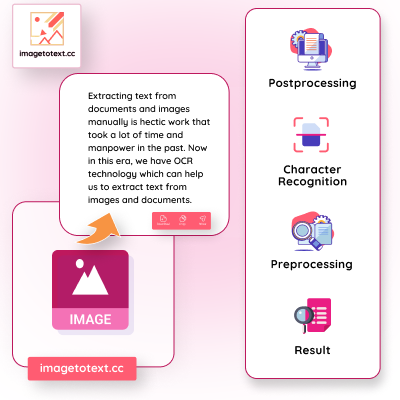
The Image to Text Converter is an online OCR (Optical Character Recognition) tool designed to extract text from various image formats, including JPG, PNG, WEBP, GIF, BMP, HEIC, and PDF. It leverages OCR technology to convert images into editable text, scanned documents, and even handwriting.

Key Features:

  • High Accuracy: Employs Tesseract-OCR technology for 100% accurate text extraction.
  • Multi-Language Support: Handles multiple languages, making it versatile for global users.
  • Batch Processing: Allows uploading and converting multiple images at once (up to 5 for free users, 50 for premium users).
  • Low-Resolution Image Extraction: Effectively extracts text from blurry or low-resolution images.
  • Mathematical Syntax Detection: Detects mathematical syntax using machine learning algorithms.
  • Fast Data Processing: Quickly processes images to save time and enhance productivity.
  • Data Security and Privacy: Ensures data security by not storing or sharing images or extracted text.

Use Cases:

  • Document Digitization: Converts printed books and documents into digital text for easier storage and editing.
  • Data Entry Automation: Automates data extraction from forms and invoices.
  • Content Analysis and Research: Extracts text from images for analysis in social media research and marketing.
  • Translation Services: Converts text in images to digital format for translation.
  • Personal Productivity: Converts handwritten notes into digital text for organization and sharing.

Alternatives

  • OnlineOCR

    OnlineOCR offers free Optical Character Recognition service to convert images and PDF documents into editable text.

  • NewOCR

    NewOCR is a free OCR service that analyzes the text in your image file allowing you to later copy and paste the text from the image.

  • i2OCR

    i2OCR is a free online Optical Character Recognition (OCR) that converts images to text, allowing you to extract text from images.

  • FreeOCR

    FreeOCR is a downloadable OCR software for Windows that supports multiple image formats and languages.

  • Adobe Acrobat Pro DC

    Adobe Acrobat Pro DC provides robust OCR capabilities for converting scanned documents and images into searchable and editable PDFs.

  • Microsoft OneNote

    OneNote's OCR feature allows you to extract text from images and insert it directly into your notes.

  • Google Docs

    Google Docs can perform OCR on uploaded images, allowing you to convert them into editable documents.

  • ABBYY FineReader PDF

    ABBYY FineReader PDF is a professional-grade OCR software known for its accuracy and extensive feature set.

  • SimpleOCR

    SimpleOCR is a free OCR software that focuses on simplicity and ease of use for converting scanned documents to text.

  • Text Fairy (Android App)

    Text Fairy is a free Android app that extracts text from images using your phone's camera.

FAQ

User Reviews

4.4/5.0
(10reviews)
Click stars to rate

Pricing

Pricing Model: Freemium

Monthly

Image to Text Monthly Plan

$4.99
monthly

Yearly

Image to Text Yearly Plan

$24.99
yearly

Lifetime

Image to Text Lifetime Plan

$49.99
one-time

Image to Excel Weekly

Image to Excel Weekly Plan

$4.99
weekly

Image to Excel Monthly

Image to Excel Monthly Plan

$7.99
monthly

Free

Free Plan

$0
free

More Products

TinyPNG is Tinify’s browser-based image compressor and converter. This review explains how its web tool differs from its Developer API, what each free allowance covers, and when its compression, conversion, resizing, and cropping features may fit an image workflow.

Zamzar is an online file conversion and compression service for documents, images, video, sound, and other formats. Its free web service has daily file and upload-size limits.

iLoveIMG is a browser-based image service for compression, resizing, cropping, conversion, and editing, with a free Basic plan and paid options.

Pixelcut is an AI image and video platform with tools for background removal, upscaling, retouching, image generation, and product visuals.

Slazzer removes image backgrounds online. Its website offers free, low-resolution previews; higher-resolution downloads use credits.

Smallpdf is an online PDF toolkit for conversion, compression, editing, merging, signing, and more. Its Free plan includes 30+ tools but limits downloads.

Convertio is a browser-based service for converting files between supported formats, with optional settings for many conversion types.

Ezgif is a free online toolset for making and editing animated GIFs, converting videos to animations, and working with other image formats.

FreeConvert is an online file converter with more than 1,500 listed conversion types and a free allowance of 20 conversion minutes per day.

HiPDF is an online PDF service with conversion, editing, compression, merging, cropping, image tools, and AI features.

123apps is a browser-based suite of video, audio, PDF, and file-conversion tools. Its apps are free to use with limits on file size and daily operations.

ChatPDF summarizes PDFs and answers questions about them. Its free plan allows two document analyses per day, with no account needed to get started.

CloudConvert is a browser-based converter for more than 200 file formats, including documents, images, audio, video, archives, and specialist formats.

OCR.space provides free browser-based OCR for images and PDFs, searchable PDF creation, and a separate API for adding text recognition to software.

Free online itinerary maker with 900+ trip plans across 96 countries. Edit day-by-day in the browser; export to PDF, Excel, CSV, Google Sheets or .ics. Free account required to download/print. Optional Pro adds premium themes; AI chat helps draft plans.

Free face rater with visible symmetry and proportion diagrams, plus optional illustrated reports and six AI hairstyle concepts.