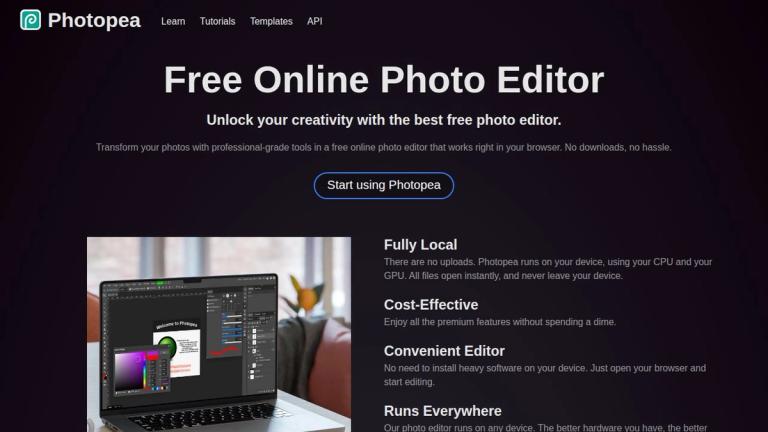
Photopea - Free Online Photo Editor
Photopea is a powerful, free online photo editor that runs entirely in your web browser. Developed as a browser-based alternative to professional desktop software like Adobe Photoshop, Photopea offers a comprehensive suite of editing tools without requiring any downloads or installations.
Key Highlights
- Fully Local Processing: All editing happens on your device using your CPU and GPU. Files never leave your device, ensuring complete privacy and instant performance.
- Professional-Grade Tools: From basic cropping and resizing to advanced features like layering, masking, blending, Smart Objects, and Adjustment Layers.
- Extensive Format Support: Opens and saves PSD files natively, plus supports 40+ formats including PNG, JPG, SVG, PDF, AI, Figma, INDD, and many more.
- RAW Photo Support: Handles DNG, CR2, CR3, NEF, ARW, and other RAW formats with full adjustment capabilities.
- AI-Powered Features: One-click background removal and AI-based image replacement through text descriptions.
- Vector Graphics: Create and edit vector graphics directly within the editor for logos, icons, and illustrations.
Photopea is accessible on any device with a browser, making professional photo editing available to everyone regardless of their hardware or budget.
Target Audience
Social media enthusiasts, students and educators, small business owners, and graphic designers seeking a free, professional-grade photo editing solution
Key Features
- Full PSD file support (open and save)
- 40+ supported file formats including AI, Figma, INDD, SVG, PDF
- RAW photo support (DNG, CR2, CR3, NEF, ARW, etc.)
- Layers, Masks, Layer Styles, and Smart Objects
- Adjustment Layers, Channels, and Paths
- AI-powered background removal
- AI image replacement via text description
- Levels, Curves, and advanced filters (Liquify, Puppet Warp)
- Vector graphics creation and editing
- Runs entirely in browser - no installation required
- Fully local processing - no file uploads
- Cross-platform compatibility
Use Cases
- Social media photo enhancement for Instagram, Facebook, and Twitter
- Student and educator projects including presentations and assignments
- Small business promotional materials and product photo editing
- Professional graphic design work for freelancers and design teams
- Logo and icon design using vector graphics tools
- Photo retouching and restoration
- Creating marketing and advertising materials
Pros
- Completely free to use with premium features included
- No downloads or installations required
- Full privacy - files never leave your device
- Professional-grade tools comparable to desktop software
- Excellent PSD compatibility
- Works on any device with a browser
- Supports 40+ file formats including RAW
- AI-powered features for quick edits
Cons
- Performance depends on device hardware
- Browser-based interface may feel less responsive than native apps for complex projects
- Requires internet connection to load the application
Pricing
Free - All features available at no cost