

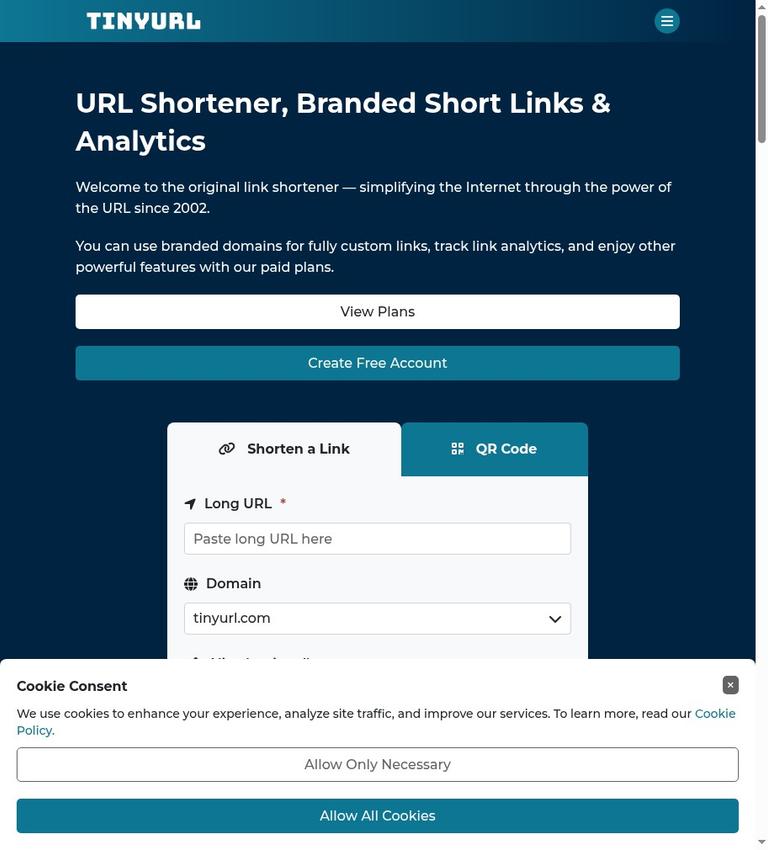
What TinyURL is
TinyURL turns a long web address into a shorter link. You can use it to make a link easier to share in a message, print on a flyer, or include in a presentation. TinyURL also creates a QR code for each link and lets you choose a custom alias, so the shortened address can be more recognizable than a random-looking string.
You can shorten a link without creating an account. An account is useful if you want to keep your links organized in a history. The service is a link-management tool, not a security layer: a shortened URL does not restrict who can open the destination page. Treat the short link as public, and do not use it to expose confidential tokens or other private information.
TinyURL offers a free plan and paid Pro access. The free plan is practical for occasional shortening, but its monthly link limit and lack of analytics or link editing matter if you need to manage campaigns. Pro adds analytics and support for branded domains, with a higher link allowance. Choose based on how many links you need to create and whether you need to measure their use or present them under your own domain.
Key features and what they mean
Short links and custom aliases
The basic job is straightforward: provide a destination URL and create a shorter one to share. A custom alias lets you choose a memorable ending for the short link, subject to availability. For example, a business might want a brief label related to an event rather than a string of characters. A meaningful alias can help people recognize the link, but it does not prove that the destination is safe. Recipients should still consider who sent it and where it leads.
Custom aliases are especially useful when someone has to type a link from a poster, slide, or printed handout. They can also make a link easier to distinguish in a list of campaign materials. They are less useful when a link will only be clicked from a digital button and the destination is already clear. Do not choose an alias that promises something the destination does not provide; the short address should accurately represent its content.
QR codes
TinyURL creates a QR code for every link. This connects a printed or on-screen code to the destination represented by the short URL. QR codes can be useful on menus, signs, event materials, or product packaging where typing a full web address would be inconvenient.
There is an important limitation for free users: a free QR code cannot have its destination changed afterward. Check the destination carefully before distributing the code, particularly if it will be printed in quantity or displayed for a long time. A QR code is not a separate access control mechanism. Anyone who can scan it can follow the link, so avoid placing confidential information behind it.
Link history and redirects
Creating an account gives you a history to organize your links. That can help when you need to find a link you made earlier or keep work grouped in one place. Basic shortening does not require an account, so a person who only needs a one-off short link can start without setting one up.
TinyURL links use permanent redirects. In practical terms, a person who opens the short URL is sent onward to its destination. A permanent redirect describes how the browser is directed; it should not be confused with a promise that the destination website itself will remain online forever. Keep a record of important destination URLs and check that they remain valid.
Analytics and branded domains
Pro includes analytics and three branded domains. Analytics can help a team understand how its links are being used, while branded domains can make short links look more consistent with an organization’s name. These capabilities are relevant for campaign work, client communications, or other situations where link performance and presentation matter.
The free plan does not include analytics. It also uses the tinyurl.com domain, rather than providing the branded-domain allowance included with Pro. If tracking is a core requirement, the free plan should not be treated as a trial version of an analytics product: it simply does not provide that feature.
How to use TinyURL step by step
- Prepare the destination. Open the page you want people to reach and copy its full URL. Check that it is the intended page and that it works for the audience who will receive the link. If the page requires a login, remember that shortening the address does not grant access.
- Decide whether to sign in. For a one-time short link, you can use TinyURL without an account. Sign in or create an account if you want the link included in account history and easier to find later.
- Create the short link. Enter the destination URL in TinyURL’s shortening workflow and create the link. If you want a custom alias, choose a short, descriptive option that is suitable for the audience and the destination.
- Review the result. Copy the shortened URL and open it yourself to check that it redirects to the correct page. This simple check is especially helpful before sending a link to a large group or using it in printed material.
- Create or use the QR code. TinyURL provides a QR code for each link. If you are using the free plan, make sure the destination is final before you publish or print the code, because that free QR code’s destination cannot be changed afterward.
- Share the link responsibly. Place it in the message, document, or design where it belongs. When sharing with others, provide enough context for them to understand why they are receiving the link. A short URL is convenient, but it also hides the full destination from a quick glance.
- Keep track of the link. If you used an account, use its link history to organize or locate your links. If you did not use an account, save important links somewhere you can find them again. Do not assume that a short link can be edited or deleted under the free plan.
For ongoing campaigns, decide on a naming pattern before generating many aliases. Consistent labels can make links easier for colleagues to recognize, but they do not replace a separate campaign record. Record each short link alongside its purpose, destination, and distribution location. This is useful even when analytics are available, because a tracking report is easier to interpret when the team knows which link appeared in which campaign.
Free and paid pricing
Free
The free plan allows 30 links per month. It uses the tinyurl.com domain, includes QR codes, and supports basic shortening without an account. An account can organize link history. Free does not include analytics or the ability to edit a destination or delete links. A free QR code’s destination cannot be changed afterward.
This plan fits light, occasional use when you need a limited number of shareable links and do not need performance reporting. Count the links you expect to create in a month before relying on it for a campaign. If a project needs more than 30 links in that period, or needs analytics and branded domains, the free plan does not meet those requirements.
Pro
Pro starts at $9 per month when billed annually, or $108 for a year. The monthly billing option is $11 per month. The stated Pro allowance is 125 links per month, along with three branded domains and analytics.
The price difference is not the only reason to choose Pro. The plan is more relevant when a team needs a larger monthly link allowance, reporting, or short URLs on branded domains. Compare the billing period with the expected duration of the work: annual billing commits the listed $108 for a year, while monthly billing costs $11 for each month. Confirm that the 125-link monthly allowance and three-domain support match the specific project before purchasing.
Real limits to consider
The monthly allowance is the clearest operational constraint: free supports 30 links per month, while the stated Pro plan supports 125 links per month. These are link-creation limits, not a promise that a link will receive a particular number of visits. If your needs vary sharply by season, estimate the busiest month rather than relying only on an annual average.
Free users have no analytics, no destination editing, and no link deletion. That makes the free plan less suitable for campaigns where you need to correct a destination after sharing, remove links from your account, or compare engagement. The free QR code also cannot have its destination changed later. Check and approve links before distribution, and be particularly careful with QR codes that will be printed.
Shortening itself does not make a destination private. Anyone with the short URL can use it, and a custom alias is not a password. Do not put confidential tokens in public links. Use the destination service’s own permissions for restricted content.
Privacy and data handling
TinyURL stores a destination URL so that its servers can redirect visitors, and an account keeps your link history together. Shortening changes the address people see; it does not add a password or change permissions on the destination page. Keep confidential information out of aliases and avoid shortening URLs containing login tokens or private download credentials.
For public campaign pages, use a clean destination URL and document which short link points to which page. For private documents, set access permissions in the document service itself. A person who forwards the short link should not automatically gain access to a restricted file. Permanent redirects are a convenience for sharing, not a privacy control.
Who TinyURL suits—and who should look elsewhere
TinyURL is a good fit for a person who occasionally needs shorter links, wants a custom alias, or needs a QR code for a public destination. The no-account option keeps basic use simple, and an account’s history can help people who create links repeatedly. The free plan can also suit a small task that stays within 30 links in a month and does not require analytics or later link changes.
Pro is a better match for teams that need analytics, three branded domains, or a 125-link monthly allowance. It can also be more suitable when a consistent branded address matters to the audience. Before paying, make sure the monthly allowance, domain count, and billing arrangement match the real work. If you mainly need a few links and do not need those features, the free plan may be sufficient.
TinyURL is a poor fit when your process depends on changing destinations or deleting links while staying on the free plan. It is also not appropriate as an access-control system for confidential content. If detailed link management is essential, compare its stated capabilities with the needs of the project instead of assuming every shortener offers the same editing, reporting, or privacy functions.
Alternatives
Rebrandly is an alternative to compare when branded links are central to your workflow. TinyURL’s stated Pro plan includes three branded domains, so compare the domain options and link allowance you actually need before choosing. See Rebrandly.
Bitly is another familiar link-shortening brand to consider. Compare its current plans and capabilities directly with TinyURL’s stated limits, especially if you need analytics, custom domains, or a particular monthly volume. See Bitly.
An alternative is only better if it addresses a real requirement. If your need is simply a few short links with no analytics, compare the free allowances and restrictions first. If the need is campaign reporting or branded domains, compare those features and their billing terms rather than choosing by brand recognition alone.
FAQ
Can I use TinyURL without an account?
Yes. Basic shortening can be done without an account. An account organizes link history.
How many free links can I create each month?
The free plan allows 30 links per month.
Does the free plan include analytics?
No. Analytics are included with Pro, not the free plan.
Can I change a free TinyURL’s destination later?
No. The free plan does not allow destination editing, and free QR-code destinations cannot be changed afterward.
How much does TinyURL Pro cost?
Pro starts at $9 per month billed annually, or $108 per year. Monthly billing is $11 per month.
Does a shortened link protect confidential information?
No. Shortening is not access control. Do not put confidential tokens in public links.
Sources
Pricing and product details checked November 11, 2026.


